Discover
Find relevant federal work.

The workspace behind your next pursuit
Discover the right federal work, build an informed pursuit, and keep your team ready for the response—in one connected workspace.
Transparent plans from $50/month. View pricing →
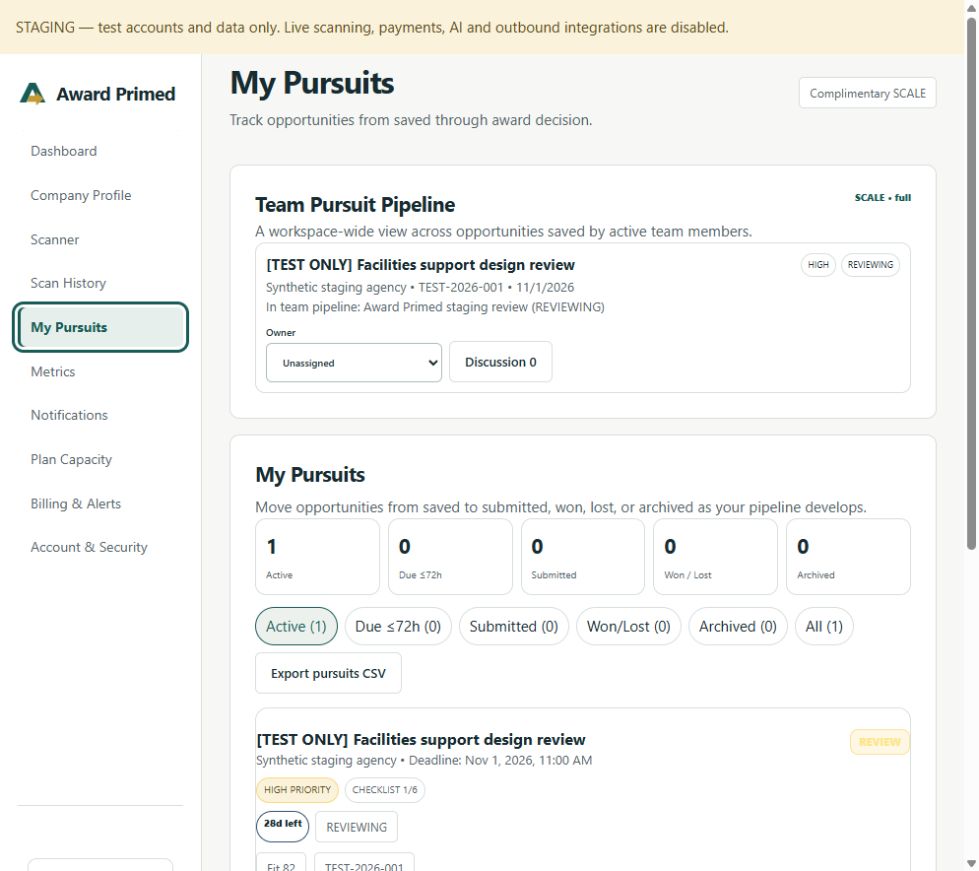
Real redesigned staging interface · Synthetic example pursuits, not customer outcomes
Find relevant federal work.
Put evidence behind the decision.
Coordinate the next action.
Keep response readiness in view.
Monitor project execution.
01 / My Pursuits
The opportunity is saved. Now the work begins. Keep priorities, deadlines, notes and follow-ups where the team can act on them.
Keep the next action attached to the opportunity. Learn about My Pursuits →
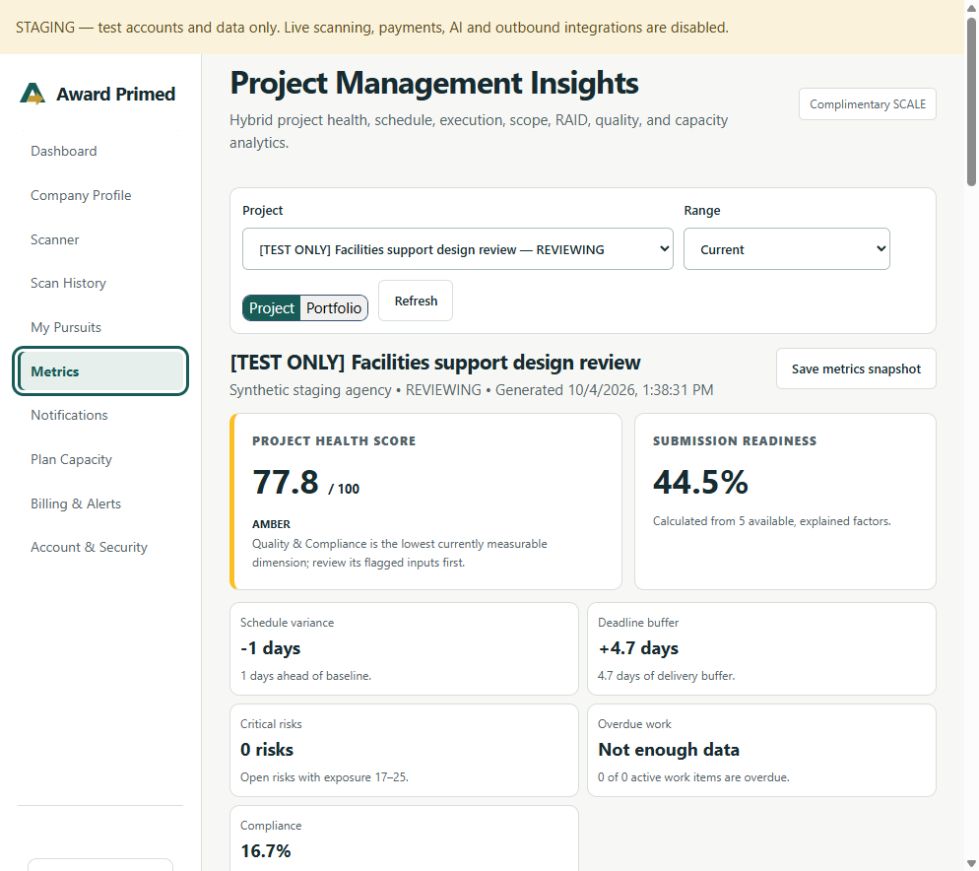
02 / Project Metrics
A practical hybrid Agile + Waterfall view connects milestones and baselines with work cycles, blockers and compliance.
Spot delivery risks before submission day. How does Project Health work? →
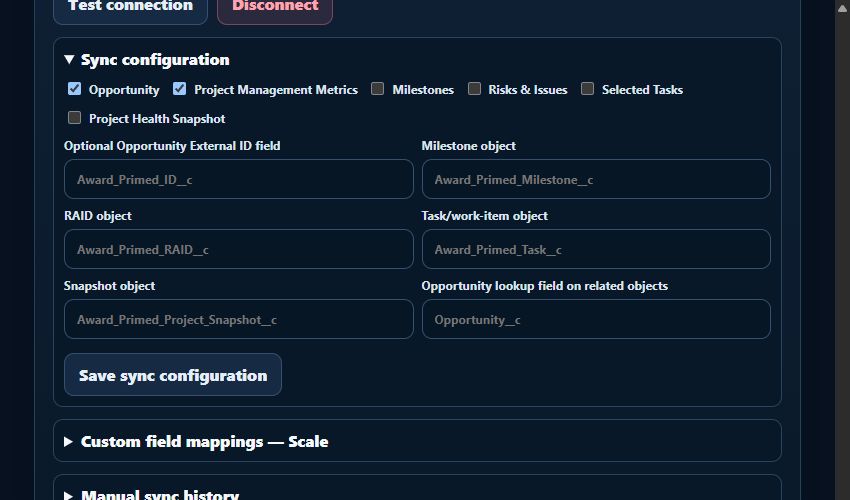
03 / Salesforce
Connect through OAuth, select the information to include, and send pursuits and project metrics when your team is ready.
Know what leaves your workspace. Understand manual Salesforce sync →
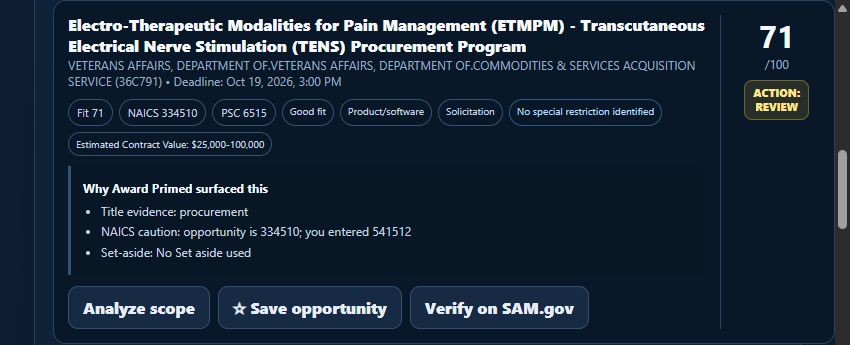
04 / Intelligence
Move from discovery to evidence to a decision. Review fit reasons, available historical awards, competition indicators and scope before committing resources.
Know when an opportunity deserves your time. What is Bid / No-Bid? →
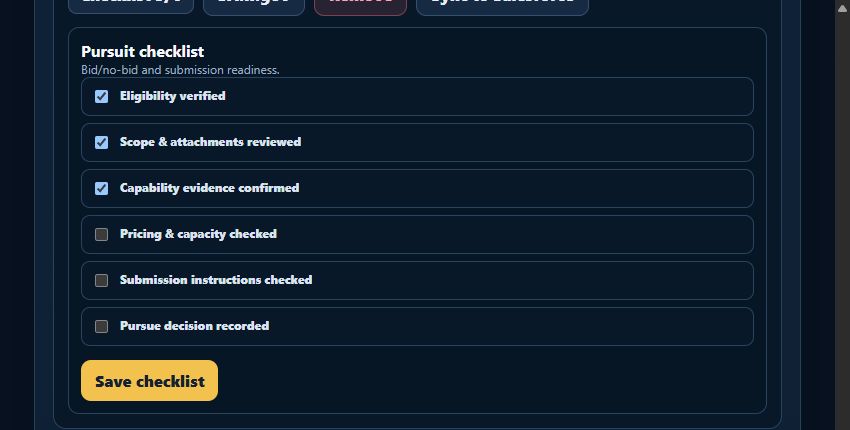
05 / Response readiness
Keep eligibility, scope, capability evidence and submission checks with the pursuit—not scattered across another set of documents.
Turn requirements into a response plan. What is a compliance matrix? →
Start with opportunity discovery
Describe the work you do. Preview one complete real match, including the official SAM.gov link. Additional matches unlock with an account and an active paid plan.
No email or account required for this preview. Results depend on current notices and the detail you provide.
Fit Scores are decision support, not guarantees of eligibility or award. Always verify official requirements. What do Fit Scores mean? → New to NAICS? →
Less scattered work
Bring the decisions between search results, spreadsheets, follow-ups and response documents into one pursuit workflow.
Solo contractors can find relevant opportunities and organize what deserves their limited time.
Small GovCon teams can keep qualification, deadlines and response-readiness work connected.
Growing organizations can coordinate teams, monitor portfolios and connect Salesforce.
Clear pricing. Room to grow.
Find it
A focused start.
Find relevant work and keep your first pursuits organized.
$50 / month
$500 / year, billed annually
Save $100 a year · 2 months included
Win it
Run the pursuit.
Bring deeper qualification and project execution together.
$200 / month
$2,000 / year, billed annually
Save $400 a year · 2 months included
Scale it
Run the organization.
Coordinate your team, entities and pursuit portfolio.
$500 / month
$5,000 / year, billed annually
Save $1,000 a year · 2 months included
AI enhancements are coming soon and are not enabled. Plans renew until canceled. Subscription and refund terms.
Clear sources. Deliberate controls.
Understand where the information comes from, how payments are handled and when data leaves your workspace.
Sign-in and account security are managed through Clerk. Award Primed does not store your password.
Use Stripe-hosted checkout and the Customer Portal to manage your payment method, invoices and subscription.
Salesforce connects through OAuth. Each sync starts with a user action—not a background push.
Follow official SAM.gov links and review source evidence. Fit Scores inform decisions; they do not guarantee eligibility or an award.
A clearer starting point
Understand the process while you build your business—not just the opportunity list. Start with the basics, or look up a term when it matters.
A few useful answers
Government-contracting questions?
Visit the Knowledge Center →
Yes. Discovery starts the workflow. My Pursuits keeps status, priorities, follow-ups and readiness work connected; Growth and Scale add deeper analysis, Metrics and Salesforce integration.
Opportunity notices come from SAM.gov. Supported public sources, including USAspending.gov, inform historical award research. Detail and coverage vary. Verify the source before acting.
No automatic background syncing. You choose when to send selected pursuit and project data. A compatible Salesforce account and permissions are required.
It is an explainable relevance signal, not a probability of award. Verify eligibility, attachments, deadlines and all solicitation requirements independently.
AI enhancements are coming soon and are not currently enabled. Current matching and qualification use the existing rules-based workflows.
Manage your subscription in the Stripe Customer Portal. Cancellation normally takes effect at the end of the paid period. Fees are non-refundable except as required by law or expressly stated at purchase. Read the full terms.
Find the work. Understand the fit. Move the pursuit forward.